Rubicon (Mar 09 2011)
Message boards :
Technical News :
Rubicon (Mar 09 2011)
Message board moderation
| Author | Message |
|---|---|
 Matt Lebofsky Matt Lebofsky  Send message Joined: 1 Mar 99 Posts: 1444 Credit: 957,058 RAC: 0 
|
Sorry for the lack of news lately. Busy busy busy. Among other things I've been roped into helping Dan on his latest proposal (I generally hope to avoid these). We started recovering the replica mysql database this morning - it's taking a while to catch up so we won't really be using it until, say, tomorrow. Also regarding database config we finally got beyond some shared memory configuration woes on oscar - so we can build indexes and update stats without having to make the database quiescent (which is what we've been having to do lately). I also made some major strides towards getting ptolemy off line for good. Just gotta copy some archival stuff off and that's about it. Last night there seems to have been some network issue that was further down the pike but affected all our traffic for a few hours. Whatever it was (I still don't know) it was fixed and we recovered without any intervention. Gotta love that. And yes, there was a problem with the beta uploads, but Eric pointed that out to Jeff yesterday and he fixed it pretty quick. I think it was just a broken symlink from when we moved back to using gowron again for uploads/downloads. - Matt -- BOINC/SETI@home network/web/science/development person -- "Any idiot can have a good idea. What is hard is to do it." - Jeanne-Claude ID: 1085465 ·  |
|
Claggy Send message Joined: 5 Jul 99 Posts: 4654 Credit: 47,537,079 RAC: 4 
|
Thanks for the update Matt, and for all the efforts from everyone, There's been quite a few Validate error's on Beta Recently across different users and hosts, ideas? Claggy ID: 1085467 · |
|
seti@elrcastor.com Send message Joined: 30 Jan 00 Posts: 35 Credit: 4,879,559 RAC: 0
|
Matt you might want to sign up for this mailing list from cenic http://lists.cenic.org/mailman/listinfo/ops-announce there was some scheduled maintence that effected your link This message is to alert you that that the CENIC network 
ID: 1085474 · |
|
Jeff Mercer Send message Joined: 14 Aug 08 Posts: 90 Credit: 162,139 RAC: 0
|
Hi Matt. Once again, thanks for the update ! I also want to thank everyone for their hard work. Everything is running great for me. Hope it's the same for everyone else. Good luck with the project ! ID: 1085477 · |
|
Joel Lynn Send message Joined: 8 Sep 05 Posts: 14 Credit: 26,446 RAC: 0
|
Thanks Matt.I hope you have the universal fix it tool(a Louisville Slugger) around the office when Dan er things get messed up. ID: 1085484 · |
|
Matt Lebofsky Send message Joined: 1 Mar 99 Posts: 1444 Credit: 957,058 RAC: 0
|
Matt you might want to sign up for this mailing list from cenic Well, look at that... I guess I'm not on that list. Thanks! - Matt -- BOINC/SETI@home network/web/science/development person -- "Any idiot can have a good idea. What is hard is to do it." - Jeanne-Claude ID: 1085488 · |
|
Jeff Mercer Send message Joined: 14 Aug 08 Posts: 90 Credit: 162,139 RAC: 0
|
Thanks Matt.I hope you have the universal fix it tool(a Louisville Slugger) around the office when Dan er things get messed up. Hummmmm... I might have to borrow that tool. For some reason, my computer keeps shutting off on it's own ! GRRRRR ! ID: 1085932 · |
HAL9000  Send message Joined: 11 Sep 99 Posts: 6534 Credit: 196,805,888 RAC: 57
 |
Thanks for the update Matt. This might be expected right now. Several people have noticed that the user pending tasks list, http://setiathome.berkeley.edu/pending.php, isn't getting any entries added to it, but validated tasks are being removed. Pending tasks for each machine do seem to be working correctly. Figured I'd pop that in if you guys didn't already know. As always keep up the great stuff. SETI@home classic workunits: 93,865 CPU time: 863,447 hours 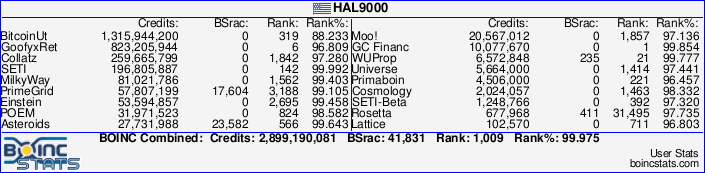 Join the [url=http://tinyurl.com/8y46zvu]BP6/VP6 User Group[ Join the [url=http://tinyurl.com/8y46zvu]BP6/VP6 User Group[
ID: 1085986 · |
gizbar  Send message Joined: 7 Jan 01 Posts: 586 Credit: 21,087,774 RAC: 0
|
Thanks Matt.I hope you have the universal fix it tool(a Louisville Slugger) around the office when Dan er things get messed up. I tend to use a hammer for my universal fix! @Jeff - If it's shutting down on it's own, the first thing to do is check the dust bunnies and clean them out. Lots of cases of reboot are because of overheating. Mine did it yesterday morning, and i haven't managed to clean it yet! Giz.  A proud GPU User Server Donor! ID: 1085987 · |
|
Joel Lynn Send message Joined: 8 Sep 05 Posts: 14 Credit: 26,446 RAC: 0
|
Gizbar I bet Matt would've taken eitheir when the crash happen a couple of weeks or so ago. ID: 1086005 · |
|
Jeff Mercer Send message Joined: 14 Aug 08 Posts: 90 Credit: 162,139 RAC: 0
|
@Jeff - If it's shutting down on it's own, the first thing to do is check the dust bunnies and clean them out. Lots of cases of reboot are because of overheating. Mine did it yesterday morning, and i haven't managed to clean it yet! You might be right ! I'll have to check on that a little later today. However, to be on the safe side, can I borrow your hammer..... just in case ? :) Thanks for the info ! ID: 1086069 · |
KWSN THE Holy Hand Grenade!  Send message Joined: 20 Dec 05 Posts: 3187 Credit: 57,163,290 RAC: 0
|
@Jeff - If it's shutting down on it's own, the first thing to do is check the dust bunnies and clean them out. Lots of cases of reboot are because of overheating. Mine did it yesterday morning, and i haven't managed to clean it yet! You might want to look into acquiring an ANSI standard 4 pound sledge hammer... ;-) .  Hello, from Albany, CA!... ID: 1086079 · |
|
Jeff Mercer Send message Joined: 14 Aug 08 Posts: 90 Credit: 162,139 RAC: 0
|
OK... I feel a bit silly now. Found out how my computer was turning itself off. Well it wasn't the computer, it was my cat, "Pharaoh." He's a monster of a cat and he likes to lay on my computer desk. Seems he took a liking to the pretty blue light on my computer tower. The hard drive light is directly under the blue light, and when the hard drive light flickered, Pharaoh started swatting at it with his paw.. (Very BIG paw.) His paw hit the pretty blue light, and THAT is the main power switch, and BOOM. Computer shut down. GOOD GRIEF !! I was cleaning this computer ALL day, and then, after getting it all back together, watched the cat jump up on the desk, lay down, and start swatting at the switch. So, thanks for all your suggestions, and the use of the, "TOOLS" :).... but I guess I won't need them now. Any ideas as to how to teach this cat how to turn the computer back on after he shuts it off ?:) ID: 1086266 · |
zoom3+1=4  Send message Joined: 30 Nov 03 Posts: 65746 Credit: 55,293,173 RAC: 49
 |
OK... I feel a bit silly now. Found out how my computer was turning itself off. Well it wasn't the computer, it was my cat, "Pharaoh." He's a monster of a cat and he likes to lay on my computer desk. Seems he took a liking to the pretty blue light on my computer tower. The hard drive light is directly under the blue light, and when the hard drive light flickered, Pharaoh started swatting at it with his paw.. (Very BIG paw.) His paw hit the pretty blue light, and THAT is the main power switch, and BOOM. Computer shut down. GOOD GRIEF !! I was cleaning this computer ALL day, and then, after getting it all back together, watched the cat jump up on the desk, lay down, and start swatting at the switch. So, thanks for all your suggestions, and the use of the, "TOOLS" :).... but I guess I won't need them now. Any ideas as to how to teach this cat how to turn the computer back on after he shuts it off ?:) Just disconnect the power switch in the front, If You have a psu with Its own power switch on It, After a few months Yer Big cat "Pharaoh" may forget about It or change the power switches color from Blue to Red, As I'm not sure Cats can see in Red, Maybe, Thankfully Grace does not do that to My PC and Her feet are as wide as two fingers. The T1 Trust, PRR T1 Class 4-4-4-4 #5550, 1 of America's First HST's 
ID: 1086348 · |
|
Cheopis Send message Joined: 17 Sep 00 Posts: 156 Credit: 18,451,329 RAC: 0
|
OK... I feel a bit silly now. Found out how my computer was turning itself off. Well it wasn't the computer, it was my cat, "Pharaoh." He's a monster of a cat and he likes to lay on my computer desk. Seems he took a liking to the pretty blue light on my computer tower. The hard drive light is directly under the blue light, and when the hard drive light flickered, Pharaoh started swatting at it with his paw.. (Very BIG paw.) His paw hit the pretty blue light, and THAT is the main power switch, and BOOM. Computer shut down. GOOD GRIEF !! I was cleaning this computer ALL day, and then, after getting it all back together, watched the cat jump up on the desk, lay down, and start swatting at the switch. So, thanks for all your suggestions, and the use of the, "TOOLS" :).... but I guess I won't need them now. Any ideas as to how to teach this cat how to turn the computer back on after he shuts it off ?:) Heh. Tape works nicely. Cover the light with a piece of clear double sided tape. I've never met a cat that would voluntarily mess with double sided sticky tape. The cat might be a tad bit upset at you for a while though, and you will want to make sure it doesn't try to tear the tape off (they usually won't) ID: 1086399 · |
|
KWSN THE Holy Hand Grenade! Send message Joined: 20 Dec 05 Posts: 3187 Credit: 57,163,290 RAC: 0
|
...you could try the aforementioned ANSI 4 lb sledge applied (stuck) to the cat... <g> <serious> or disconnect the drive activity light... . Hello, from Albany, CA!... ID: 1086444 · |
|
HAL9000 Send message Joined: 11 Sep 99 Posts: 6534 Credit: 196,805,888 RAC: 57
|
OK... I feel a bit silly now. Found out how my computer was turning itself off. Well it wasn't the computer, it was my cat, "Pharaoh." He's a monster of a cat and he likes to lay on my computer desk. Seems he took a liking to the pretty blue light on my computer tower. The hard drive light is directly under the blue light, and when the hard drive light flickered, Pharaoh started swatting at it with his paw.. (Very BIG paw.) His paw hit the pretty blue light, and THAT is the main power switch, and BOOM. Computer shut down. GOOD GRIEF !! I was cleaning this computer ALL day, and then, after getting it all back together, watched the cat jump up on the desk, lay down, and start swatting at the switch. So, thanks for all your suggestions, and the use of the, "TOOLS" :).... but I guess I won't need them now. Any ideas as to how to teach this cat how to turn the computer back on after he shuts it off ?:) The default behavior for windows is to shutdown when the power switch is pressed. You can easily change it to "Ask me what to do" or "Do nothing". For XP it's Power Options in the Control Panel and then the advanced tab. I always set mine to "Do nothing". SETI@home classic workunits: 93,865 CPU time: 863,447 hours Join the [url=http://tinyurl.com/8y46zvu]BP6/VP6 User Group[
ID: 1086476 · |
|
Jeff Mercer Send message Joined: 14 Aug 08 Posts: 90 Credit: 162,139 RAC: 0
|
OK ! Thanks for the ideas people ! So far, the cat has not hit the button again... but trust him I DO NOT !! HAHAHA.... Yeah, he's a monster, but a lovable monster. Thanks for the tips ! ID: 1086648 · |

©2024 University of California
SETI@home and Astropulse are funded by grants from the National Science Foundation, NASA, and donations from SETI@home volunteers. AstroPulse is funded in part by the NSF through grant AST-0307956.