Current motherboards that can support 6+ GPUs?
Message boards :
Number crunching :
Current motherboards that can support 6+ GPUs?
Message board moderation
| Author | Message |
|---|---|
|
krem1234 Send message Joined: 1 Mar 03 Posts: 19 Credit: 3,087,359 RAC: 0 
|
Hi all, I've done some searching but everything I've found is several years out-of-date, I was looking for motherboard recommendations that can support at least 6 GPUs. I've found many that have 6 or 7 PCI slots, but all I've seen only appear to support 4 GPUs. Any advice appreciated, thanks. ID: 1692075 ·  |
 ivan ivan  Send message Joined: 5 Mar 01 Posts: 783 Credit: 348,560,338 RAC: 223 
 |
http://www.supermicro.co.uk/products/nfo/gpu.cfm   
ID: 1692093 · |
HAL9000  Send message Joined: 11 Sep 99 Posts: 6534 Credit: 196,805,888 RAC: 57 
 |
Most high and mid range GPUs you will find are 2 slots wide. So with a standard ATX or even an EATX motherboard you will only have 7-8 slots. So you would need to use PCIe risers to use more than 4 GPUs. Some water cooling GPU solutions I have seen reduce the GPU width to only 1 slot, but the GPU bracket will still be 2 slots wide. Then you have the issue of power. Running 4 or more 250-300w GPUs takes a large specialized power supply, or multiple power supplies. It's not impossible. You just have to be really dedicated. SETI@home classic workunits: 93,865 CPU time: 863,447 hours  Join the [url=http://tinyurl.com/8y46zvu]BP6/VP6 User Group[ Join the [url=http://tinyurl.com/8y46zvu]BP6/VP6 User Group[
ID: 1692155 · |
Woodgie  Send message Joined: 6 Dec 99 Posts: 134 Credit: 89,630,417 RAC: 55
|
http://www.supermicro.co.uk/products/system/4U/4028/SYS-4028GR-TR.cfm I'm... I'm... I can live in my office if I sell my house, right? ~W ~W 
ID: 1692270 · |
|
woohoo Send message Joined: 30 Oct 13 Posts: 973 Credit: 165,671,404 RAC: 5
|
i expect the supermicro to be pretty loud as it needs to blow a ton of air to keep that eight pack of gpus cool ID: 1692272 · |
|
ivan Send message Joined: 5 Mar 01 Posts: 783 Credit: 348,560,338 RAC: 223
|
http://www.supermicro.co.uk/products/system/4U/4028/SYS-4028GR-TR.cfmI'm expecting a quotation on something not quite that big soon. Chap in the department had an Intel box for evaluation a couple of years ago -- it had a solid row of dual-width PCI-e slots across the back of the unit. I'm... I'm sure it's been done...
ID: 1692273 · |
spitfire_mk_2  Send message Joined: 14 Apr 00 Posts: 563 Credit: 27,306,885 RAC: 0
|
The "best" way to do it: 1) Get mobo with 3 pci-e slots. 2) Get cards with 2 gpu - Radeon R9 295X2 - GeForce GTX Titan Z 3) Install 3 of these cards. Each card has 2 gpu. 3x2=6. You now have 6 gpu. 
ID: 1692290 · |
|
HAL9000 Send message Joined: 11 Sep 99 Posts: 6534 Credit: 196,805,888 RAC: 57
|
The "best" way to do it: 4) Buy stock in your local electric company. SETI@home classic workunits: 93,865 CPU time: 863,447 hours Join the [url=http://tinyurl.com/8y46zvu]BP6/VP6 User Group[
ID: 1692291 · |
|
petri33 Send message Joined: 6 Jun 02 Posts: 1668 Credit: 623,086,772 RAC: 156 
|
Download the source code and do Your own compilation after the inevident clarification of Your mind. To overcome Heisenbergs: "You can't always get what you want / but if you try sometimes you just might find / you get what you need." -- Rolling Stones ID: 1692298 · |
|
woohoo Send message Joined: 30 Oct 13 Posts: 973 Credit: 165,671,404 RAC: 5
|
most motherboards don't provide good spacing for three large cards evga z97 classified is one that does 295x2 would use a lot of power titan z costs more ID: 1692300 · |
|
krem1234 Send message Joined: 1 Mar 03 Posts: 19 Credit: 3,087,359 RAC: 0
|
Also I was planning to use GTX 980s (really good GFLOP/watt ratio, only use 165 watts total) with riser cards. ID: 1692502 · |
|
woohoo Send message Joined: 30 Oct 13 Posts: 973 Credit: 165,671,404 RAC: 5
|
If you were going to use risers you could try an Asus x99-e ws ID: 1692526 · |
|
krem1234 Send message Joined: 1 Mar 03 Posts: 19 Credit: 3,087,359 RAC: 0
|
FYI I looked into this board, and even though they advertise it as supporting 7 PCI cards, customers have been stating that it will only support a max of 3 GPUs. Ex. from Newegg.com: "Contrary to the specifications, this board DOES NOT allow for 4 GPUs to be used simultaneously. The specs say "Quad-GPU" which ASUS claims does not mean you can use 4 graphics cards, but that you can use 2 dual graphics cards." It looks like some server MBs would work well for this though of course they're more $. ID: 1695216 · |
Zalster  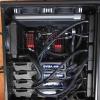 Send message Joined: 27 May 99 Posts: 5517 Credit: 528,817,460 RAC: 242
|
If you are going to use risers, then you could use almost any board as long as they have slots. Asus x99 e ws will support 4 cards. (as did the GA-990FXA-UD7 ?) You might be able to shove a 4th half size on the last slot. (If you use risers. Then it will definitely support 4) The last slot tends to be too close to the bottom of the board and interferes with the wires down there. But if you REALLY WANT and determine to do it, there are ways, lol  Good luck with your build Zalster ID: 1695222 · |
|
woohoo Send message Joined: 30 Oct 13 Posts: 973 Credit: 165,671,404 RAC: 5
|
if needed a setup for seven cards i would get the x99-e ws and i would ignore those reviews ID: 1695249 · |
rob smith   Send message Joined: 7 Mar 03 Posts: 22924 Credit: 416,307,556 RAC: 380
|
Sorry to read about your misfortune Vic, its a salutary lesson for those who overload motherboards. That EVGA card looks like a solution, as do the various "powered risers", which do much the same without using (another) slot. Bob Smith Member of Seti PIPPS (Pluto is a Planet Protest Society) Somewhere in the (un)known Universe? ID: 1695273 · |
Vipin Palazhi  Send message Joined: 29 Feb 08 Posts: 286 Credit: 167,386,578 RAC: 0 
|
Can anyone recommend a good quality pci-e riser card. I have checked on Amazon and most of them have negative comments. So not sure which ones to buy without the fear of wrecking the mobo and GPU. ID: 1697391 · |
|
Zalster Send message Joined: 27 May 99 Posts: 5517 Credit: 528,817,460 RAC: 242
|
What sort of GPU will you be using with the riser? Some cards will not work with certain risers, other will. So knowing what the GPU cards is first helps ID: 1697437 · |
|
Vipin Palazhi Send message Joined: 29 Feb 08 Posts: 286 Credit: 167,386,578 RAC: 0
|
What sort of GPU will you be using with the riser? Some cards will not work with certain risers, other will. So knowing what the GPU cards is first helps I wasn't aware of that. I am planning to get a couple of R9 290/X. I found 3M 8KC3-0726-0500 cables but they are extremely pricey compared to what Amazon has. ID: 1697767 · |
|
woohoo Send message Joined: 30 Oct 13 Posts: 973 Credit: 165,671,404 RAC: 5
|
i have two of those 3m risers but i'm not using them now. at some point i will swap the maximus vi extreme with the z97 classified and go back to running three of the 290x the 3m riser isn't very flexible; trying to figure where to put one or two video cards that were dangling in free space was annoying. i can't remember if it worked all of the time, sometimes it would show two cards, other times it would show four cards. so i don't know if that's a pci-e 2.0/3.0 thing. if you were only going to get a couple of 290x, shouldn't you be able to mount them on a motherboard without needing any risers? ID: 1697770 · |

©2026 University of California
SETI@home and Astropulse are funded by grants from the National Science Foundation, NASA, and donations from SETI@home volunteers. AstroPulse is funded in part by the NSF through grant AST-0307956.